Installer Toolbox Code Vivint
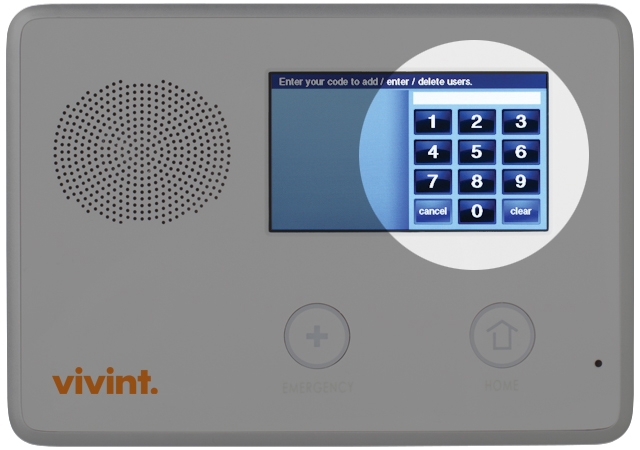
This is a scenerio that is all too common. You just bought a house with an existing Vivint Go!Control system in it, or refused to takeover the previous owners Vivint contract, and you dont know the master code, or user codes. In some cases, the panel may even be armed, or in active alarm once you power it up, or gives an 'AR' arming error (see: ) You call Vivint, and they have no love for you.(that is, unless you agree to enter into a long term contract), you are SOL. So.you unplug the panel, or otherwise disable it. Does this sound familiar? Well, there is a way to disarm the panel if it is in alarm (even if you dont know the user codes), and also a way to recover all the user codes, including the master code, and change them, delete them, or even add your own user codes.
Step 1: The Vivint Go!Control panel must be in a 'disarmed' state. (If panel is armed, or is alarming, follow the below steps to disarm it).
The installer code is the only code that can access the Installer Toolbox. The installer code cannot disarm the alarm. It 's possible Vivint has something special. 4 Choose the Toolbox button. 5 Choose User Codes from the menu. 6 Enter your master code. We had vivint install a. They will give you the code for your toolbox over.
The panel may have an active cell module. This cell module cannot be reused, and must be replaced. You need to remove this module REGARDLESS of whether panel is armed or disarmed. VIVINT can use this cell module to back end and remote the system. Remove cell module: Note- if the panel is armed, opening it will trigger a tamper alarm (if disarmed, tamper will trigger a trouble). Disregard.You will be able to disarm and silence it shortly Remove AC power transformer (or remove power wire once panel is opened). There is a screw on top of panel, remove it, depress the two tabs on each end, and pull front of panel out and in a smooth downwards arc.
Attach the ' third hand' hook. Once opened, disconnect battery pack lead connector, and completely power down panel. Then watch video. Once, you familiarize yourself with how to remove the cell module (and antenna, is removed via side panel that pops out), remove cell module. Once the cell module is removed, reconnect battery pack (AC power wire if applicable), close up panel, reconnect AC power transformer, and power panel up. Disarm using code 2580.
Panel disarms, and alarms cease. Panel navigation is now accessable. Step 2: Recover Master and all other User codes.
Hit 'Home' button, then 'Security'>'menu'>'toolbox'>enter code ' 2203'>'user management' Then click the 'key' symbol next to each code to change that code (also, you may want to remove or change the User 8 code (2580)). Arm and disarm panel with either the current Master User Code you recovered (or if you changed it, to whatever the new code is). You MUST do this to clear the panel, and return it to a normal 'disarmed, Ready to Arm' status. DONE Replacing the Cellular module.
Mario party 4 gamecube iso download torrent games. Mario Party 4 ISO Nintendo Gamecube / GC GCN NGC ISOs. Disc scans, etc.) for Mario Party 4 to Emuparadise. Download Mario Party 4 (1.2G).
I recently purchased a home with a security system. The system is a Go!control panel with door sensors, motion sensor and a single camera. It was being monitored by CPI They want to charge me $50 a month for monitoring.
Shabloni dlya fotosessii svoimi rukami usi gubi ochki 1. They have locked the control panel via the installer toolbox which will not allow me to add new devices or change any settings. Before I go with any service I want to be sure I can use this equipment.
According to all your sites information I will be able to if I can gain access to the installer toolbox. Is there a way to reset this code back to the factory 1561 or do you know the code that CPI uses so I am able to use this control panel.
I have already factory reset the panel and was able to get some access via the reset master code but the installer code was not reset. Because of the reset I have currently lost all programing of my sensors and camera. CPI will not give me the code. They will also not send someone out to reset the system because I do not have monitoring service with them and they will not let me sign up for service to get someone to come out to reset the code. The only way they will sign me up is with a 5 year contract and all new equipment. Can you provide any assistance?
Thanks in advance. Hello, happy to help! Goes over steps to reset the programming and installer code of a 2GIG panel manually. It sounds like the previous provider disabled the installer reset function however. There is no separate back-door without a service provider. We cannot speak for other companies or their policies, but we share your desire for open access.